No Image

Замена оптического дисковода HP Mobile Thin Client mt41

67 просмотров
07 декабря 2023

Шаг 1 Оптический дисковод

HP Mobile Thin Client mt41 Optical Disc Drive Replacement, Optical Disc Drive: step 1, image 1 of 2HP Mobile Thin Client mt41 Optical Disc Drive Replacement, Optical Disc Drive: step 1, image 2 of 2

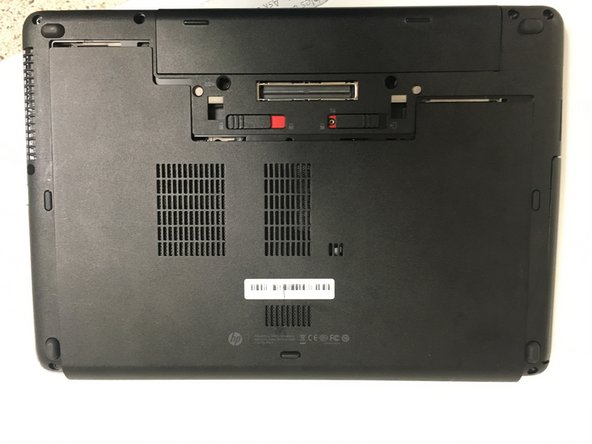
Выключите и отключите ноутбук от сети. Также не забудьте отключить все внешние устройства.

После этого сдвиньте два переключателя в указанных направлениях, чтобы снять аккумулятор и заднюю крышку.

Шаг 2

HP Mobile Thin Client mt41 Optical Disc Drive Replacement: step 2, image 1 of 2HP Mobile Thin Client mt41 Optical Disc Drive Replacement: step 2, image 2 of 2

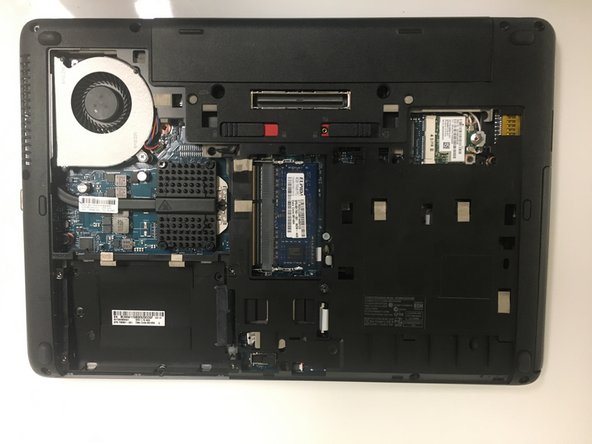
Теперь вы можете снять батарею и сервисную крышку.

Сдвиньте аккумулятор вверх, чтобы извлечь его.

Шаг 3

HP Mobile Thin Client mt41 Optical Disc Drive Replacement: step 3, image 1 of 3HP Mobile Thin Client mt41 Optical Disc Drive Replacement: step 3, image 2 of 3HP Mobile Thin Client mt41 Optical Disc Drive Replacement: step 3, image 3 of 3

Сдвиньте сервисную крышку вниз.

После этого поднимите заднюю крышку, чтобы снять ее.

Шаг 4

HP Mobile Thin Client mt41 Optical Disc Drive Replacement: step 4, image 1 of 3HP Mobile Thin Client mt41 Optical Disc Drive Replacement: step 4, image 2 of 3HP Mobile Thin Client mt41 Optical Disc Drive Replacement: step 4, image 3 of 3

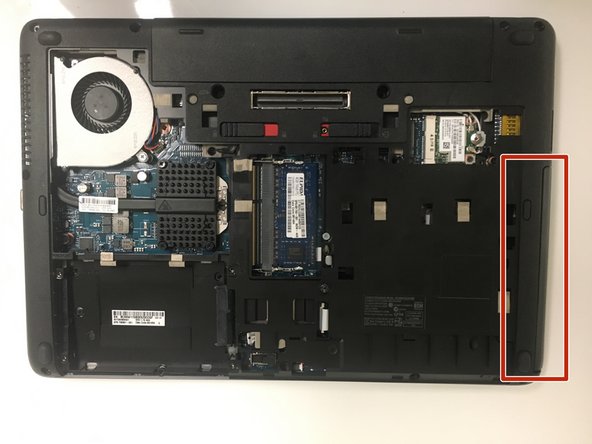
Открутите указанный винт, чтобы извлечь оптический привод.

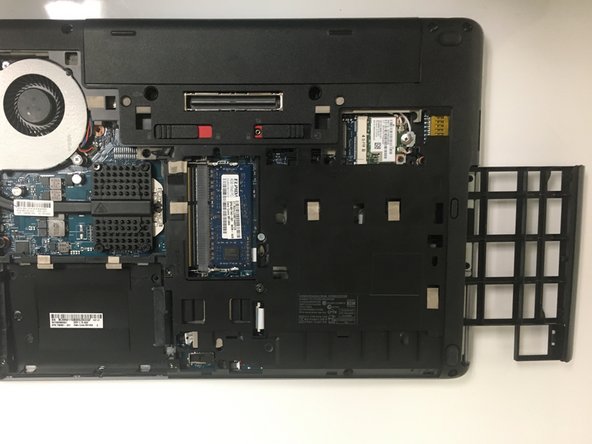
Сдвиньте оптический привод, чтобы полностью извлечь его из ноутбука.

Комментировать
67 просмотров
Комментариев нет, будьте первым кто его оставит

Это интересно