No Image

Замена материнской платы Magellan Roadmate 9055-LM

41 просмотров
17 декабря 2023

Введение

Вы можете заменить материнскую плату устройства, следуя этому руководству. При отсоединении материнской платы старайтесь аккуратно отсоединять все провода. Если приложить большую силу, можно повредить зажимы проводов или сами провода.

Шаг 1 Разборка задней панели Magellan Roadmate 9055-LM

Magellan Roadmate 9055-LM Motherboard Replacement, Magellan Roadmate 9055-LM Back Panel Disassembly: step 1, image 1 of 1

Переверните устройство задней панелью вверх.

Шаг 2

Magellan Roadmate 9055-LM Motherboard Replacement: step 2, image 1 of 3Magellan Roadmate 9055-LM Motherboard Replacement: step 2, image 2 of 3Magellan Roadmate 9055-LM Motherboard Replacement: step 2, image 3 of 3

Выкрутите четыре винта Phillips #0 из задней панели.

Шаг 3

Magellan Roadmate 9055-LM Motherboard Replacement: step 3, image 1 of 2Magellan Roadmate 9055-LM Motherboard Replacement: step 3, image 2 of 2

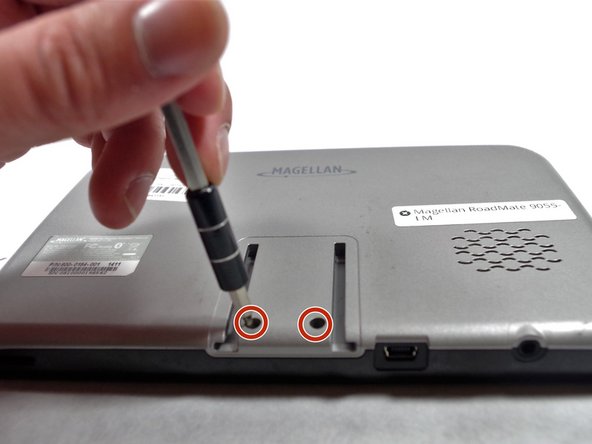
Выкрутите два винта Phillips #0 из задней панели.

Шаг 4

Magellan Roadmate 9055-LM Motherboard Replacement: step 4, image 1 of 2Magellan Roadmate 9055-LM Motherboard Replacement: step 4, image 2 of 2

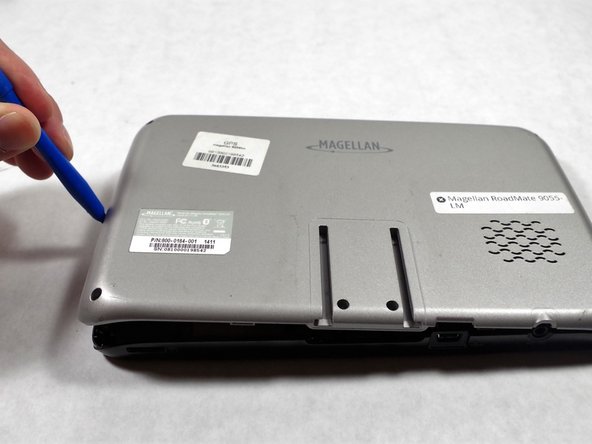
С помощью пластикового инструмента для открывания подденьте правую сторону панели.

Шаг 5

Magellan Roadmate 9055-LM Motherboard Replacement: step 5, image 1 of 1

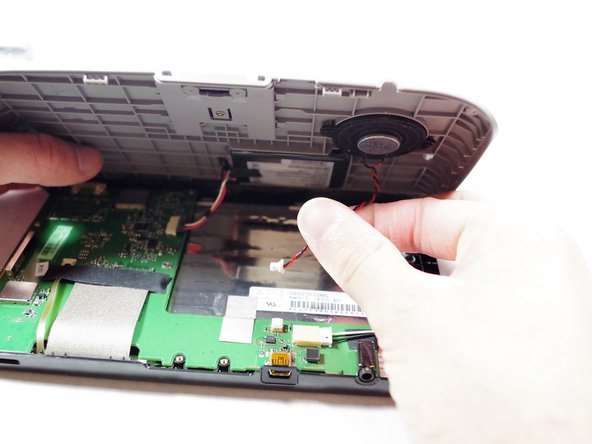
Слишком быстрое или сильное поднятие задней панели может привести к повреждению кабеля динамика и кабеля аккумулятора, которые по-прежнему закреплены под ней.

Аккуратно поднимите заднюю панель.

Шаг 6

Magellan Roadmate 9055-LM Motherboard Replacement: step 6, image 1 of 3Magellan Roadmate 9055-LM Motherboard Replacement: step 6, image 2 of 3Magellan Roadmate 9055-LM Motherboard Replacement: step 6, image 3 of 3

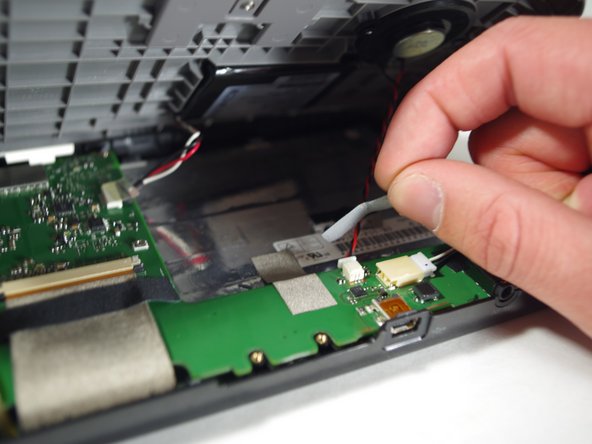
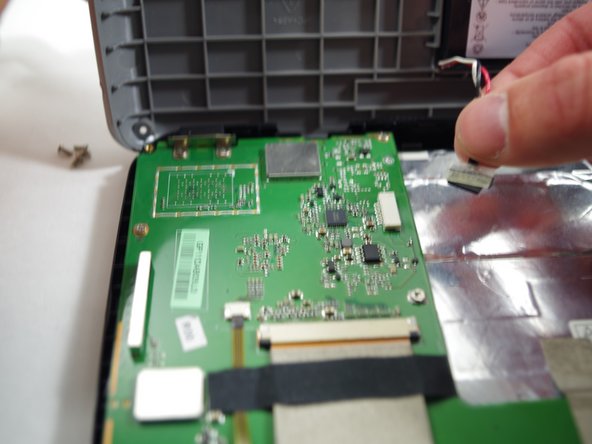
Удалите пленку.

Отсоедините кабель динамика.

Шаг 7

Magellan Roadmate 9055-LM Motherboard Replacement: step 7, image 1 of 3Magellan Roadmate 9055-LM Motherboard Replacement: step 7, image 2 of 3Magellan Roadmate 9055-LM Motherboard Replacement: step 7, image 3 of 3

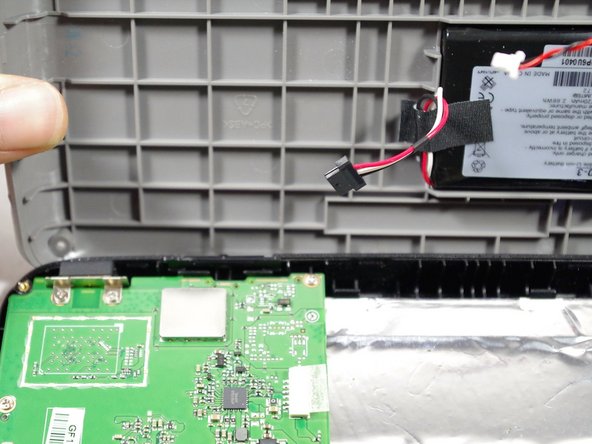
Отсоедините кабель аккумулятора.

Удаление ленты не требуется.

Шаг 8

Magellan Roadmate 9055-LM Motherboard Replacement: step 8, image 1 of 1

Аккуратно положите заднюю панель на стол.

Шаг 9 Материнская плата

Magellan Roadmate 9055-LM Motherboard Replacement, Motherboard: step 9, image 1 of 2Magellan Roadmate 9055-LM Motherboard Replacement, Motherboard: step 9, image 2 of 2

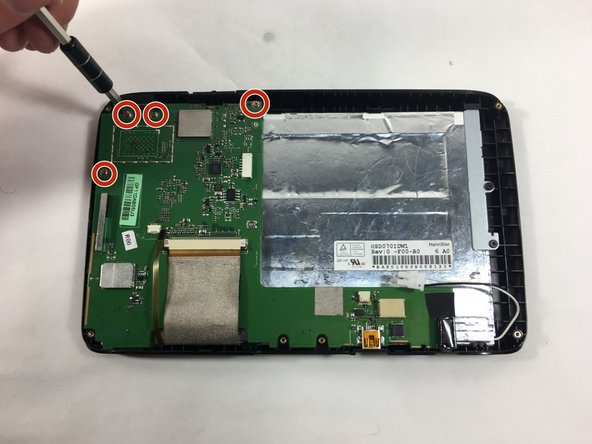
Открутите четыре винта в левом верхнем углу с помощью отвертки Phillips #0.

Шаг 10

Magellan Roadmate 9055-LM Motherboard Replacement: step 10, image 1 of 2Magellan Roadmate 9055-LM Motherboard Replacement: step 10, image 2 of 2

Снимите все электрические ленты с разных мест, как указано.

Шаг 11

Magellan Roadmate 9055-LM Motherboard Replacement: step 11, image 1 of 2Magellan Roadmate 9055-LM Motherboard Replacement: step 11, image 2 of 2

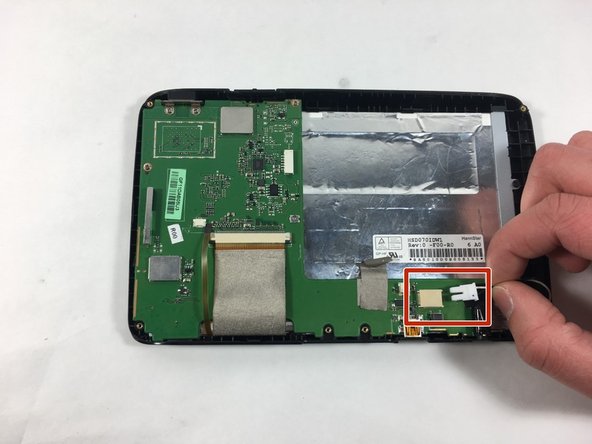
Снимите белую клипсу, прикрепленную к черному и белому проводам.

Осторожно снимите зажим, потянув его в противоположную от зажима сторону.

Шаг 12

Magellan Roadmate 9055-LM Motherboard Replacement: step 12, image 1 of 3Magellan Roadmate 9055-LM Motherboard Replacement: step 12, image 2 of 3Magellan Roadmate 9055-LM Motherboard Replacement: step 12, image 3 of 3

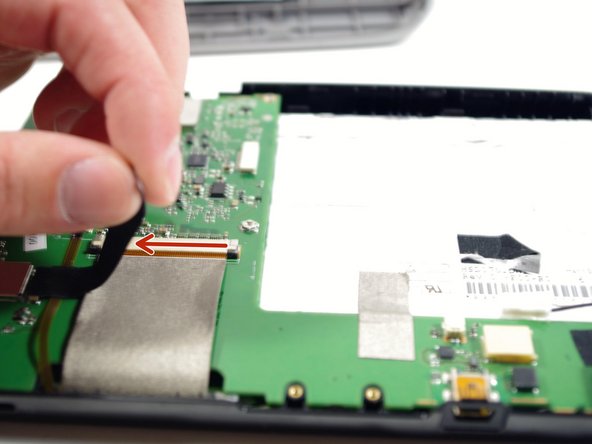
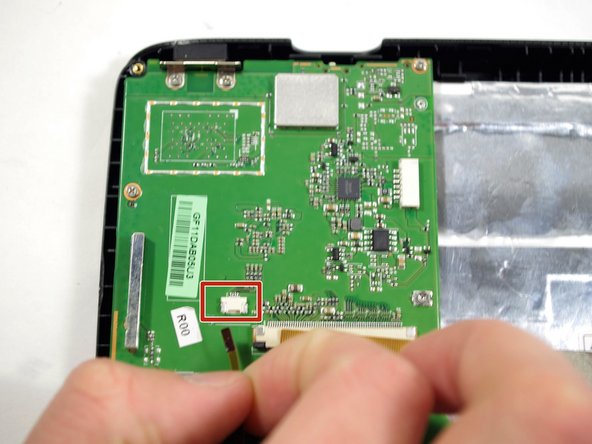
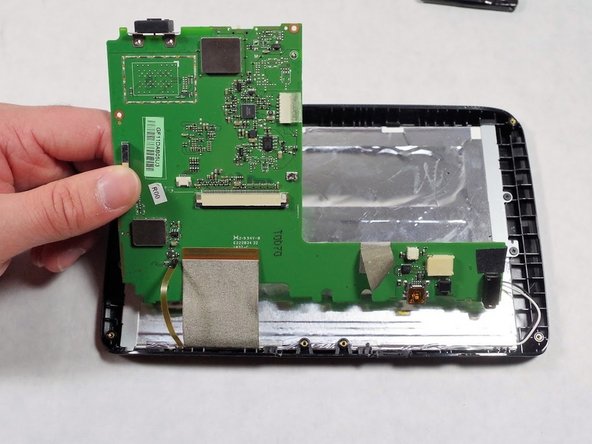
Отсоедините провода, надавив на них и медленно потянув на себя.

Отсоединив провода, выньте материнскую плату.

Комментировать
41 просмотров
Комментариев нет, будьте первым кто его оставит

Это интересно
No Image Гайды
0 комментариев
No Image Гайды
0 комментариев
No Image Гайды
0 комментариев