No Image

Замена графического процессора на материнской плате Deepcool Kendomen и MSI Z97 Gaming 5

СОДЕРЖАНИЕ
82 просмотров
10 декабря 2023

Введение

Замена GPU — это то, что вы делаете, когда ваш старый GPU устаревает, поэтому мы хотим показать вам, как заменить старый GPU на новый, не требующий специальных навыков.

Это простое пошаговое руководство по замене графического процессора (GPU), находящегося внутри Deepcool Kendomen, на материнской плате MSI Z97 Gaming 5.

Вот руководство пользователя, выпущенное компанией Deepcool для Kendomen.

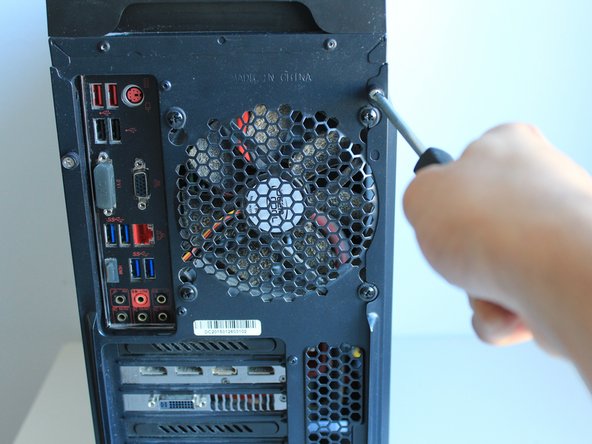
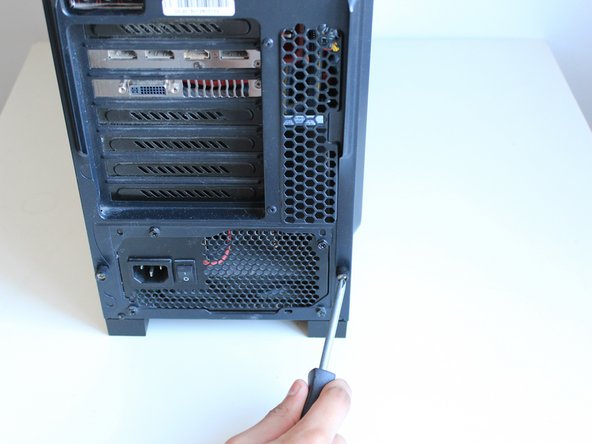
Шаг 1 Графический процессор (GPU)

GPU Replacement On a Deepcool Kendomen and MSI Z97 Gaming 5 Motherboard, Graphics Processing Unit (GPU): step 1, image 1 of 2GPU Replacement On a Deepcool Kendomen and MSI Z97 Gaming 5 Motherboard, Graphics Processing Unit (GPU): step 1, image 2 of 2

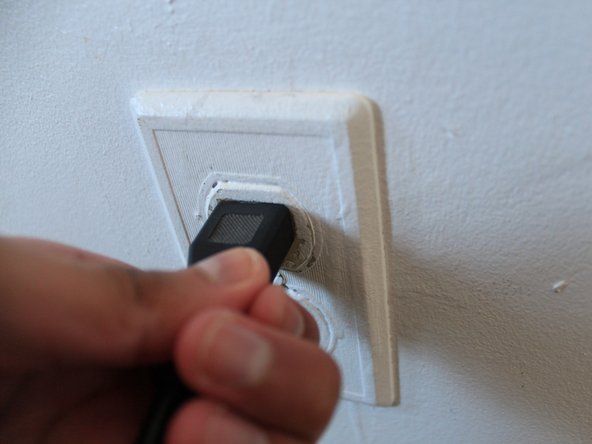
Перед началом работы убедитесь, что ваш компьютер выключен!

Отключите компьютер от розетки.

Поверните рабочий стол так, чтобы у вас был доступ к задней части устройства.

Шаг 2

GPU Replacement On a Deepcool Kendomen and MSI Z97 Gaming 5 Motherboard: step 2, image 1 of 2GPU Replacement On a Deepcool Kendomen and MSI Z97 Gaming 5 Motherboard: step 2, image 2 of 2

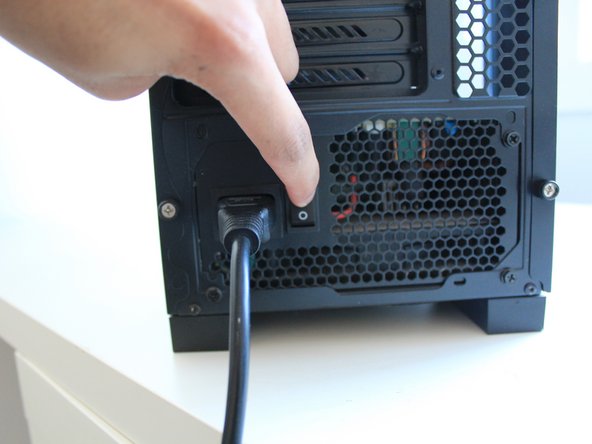
Отключите блок питания, чтобы предотвратить утечку энергии.

Отключите настольный компьютер от сети, чтобы предотвратить утечку энергии.

Шаг 3

GPU Replacement On a Deepcool Kendomen and MSI Z97 Gaming 5 Motherboard: step 3, image 1 of 3GPU Replacement On a Deepcool Kendomen and MSI Z97 Gaming 5 Motherboard: step 3, image 2 of 3GPU Replacement On a Deepcool Kendomen and MSI Z97 Gaming 5 Motherboard: step 3, image 3 of 3

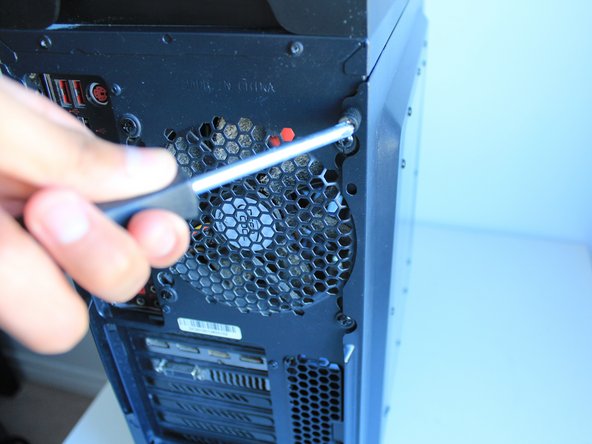
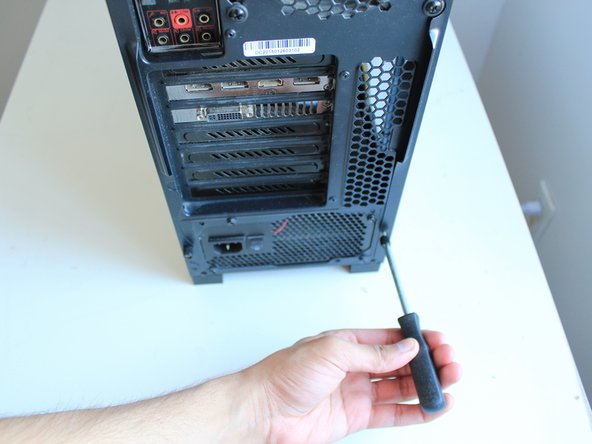
С помощью отвертки Phillips #0 открутите два винта диаметром 15 мм со стороны стеклянной панели и снимите панель.

Шаг 4

GPU Replacement On a Deepcool Kendomen and MSI Z97 Gaming 5 Motherboard: step 4, image 1 of 3GPU Replacement On a Deepcool Kendomen and MSI Z97 Gaming 5 Motherboard: step 4, image 2 of 3GPU Replacement On a Deepcool Kendomen and MSI Z97 Gaming 5 Motherboard: step 4, image 3 of 3

Аккуратно снимите стеклянную панель, сдвинув ее на себя.

Панель содержит стекло, поэтому будьте осторожны с ней!

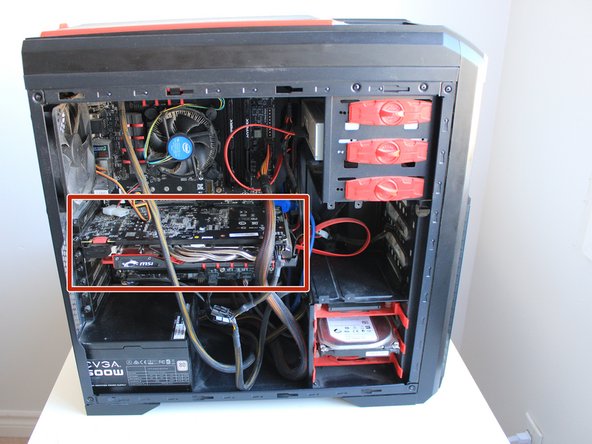
Графический процессор выделен.

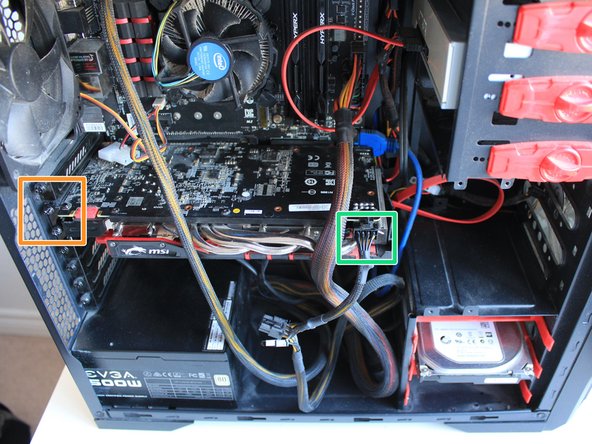
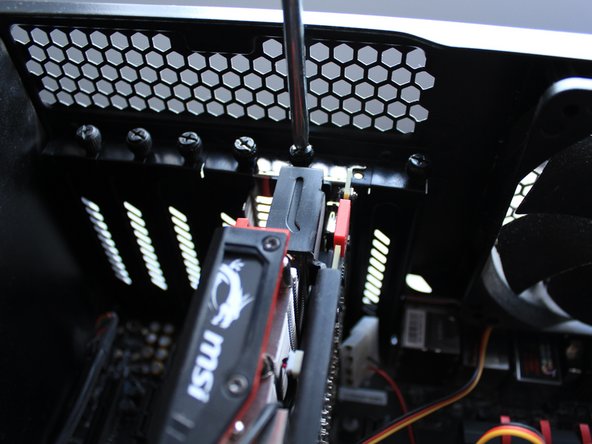
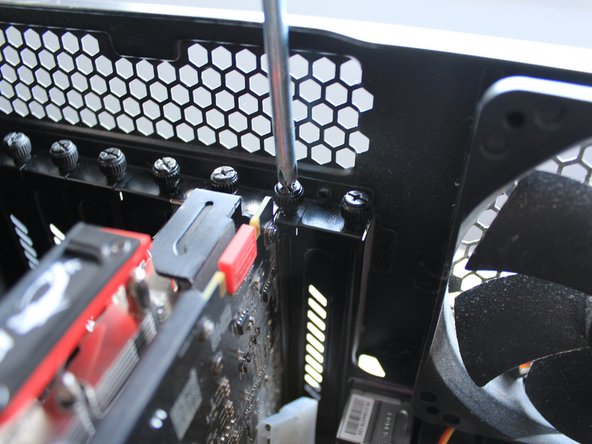
С помощью отвертки Phillips #0 открутите три винта диаметром 14 мм, соединяющие графический процессор с корпусом.

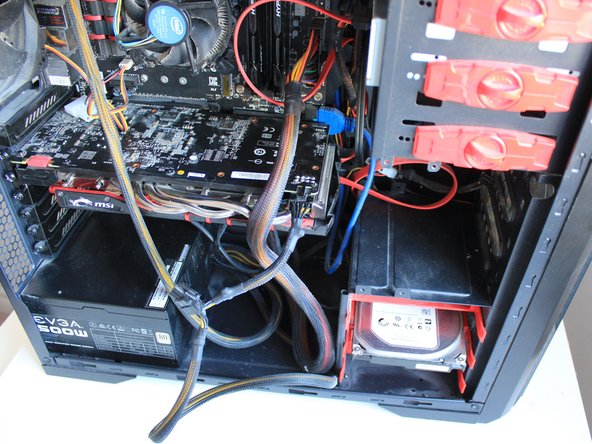
Отключите кабель питания на графическом процессоре.

Шаг 5

GPU Replacement On a Deepcool Kendomen and MSI Z97 Gaming 5 Motherboard: step 5, image 1 of 1

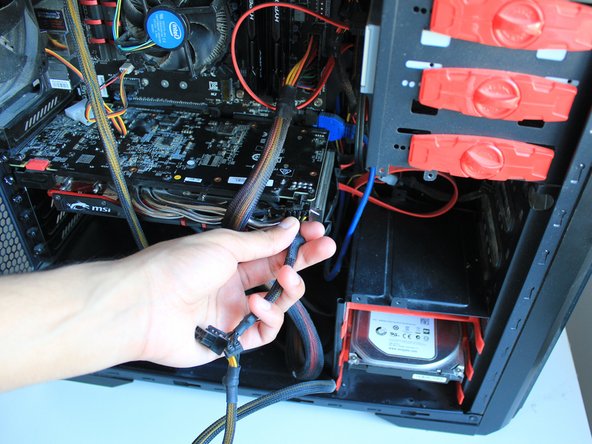
Отключите GPU от блока питания, так как нам нужно удалить все, что к нему подключено.

Шаг 6

GPU Replacement On a Deepcool Kendomen and MSI Z97 Gaming 5 Motherboard: step 6, image 1 of 3GPU Replacement On a Deepcool Kendomen and MSI Z97 Gaming 5 Motherboard: step 6, image 2 of 3GPU Replacement On a Deepcool Kendomen and MSI Z97 Gaming 5 Motherboard: step 6, image 3 of 3

С помощью Phillips #0 открутите три 14-миллиметровых винта Phillips от GPU и материнской платы, чтобы мы могли снять GPU позже.

Шаг 7

GPU Replacement On a Deepcool Kendomen and MSI Z97 Gaming 5 Motherboard: step 7, image 1 of 2GPU Replacement On a Deepcool Kendomen and MSI Z97 Gaming 5 Motherboard: step 7, image 2 of 2

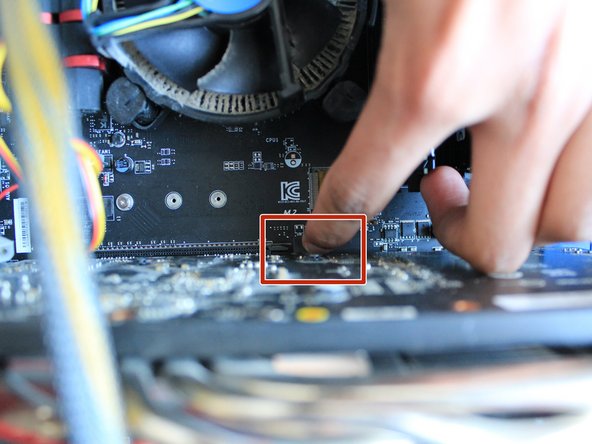
Надавите на выступ, чтобы разблокировать GPU.

Выступ отпирается легко, поэтому не прилагайте слишком много усилий.

Шаг 8

GPU Replacement On a Deepcool Kendomen and MSI Z97 Gaming 5 Motherboard: step 8, image 1 of 3GPU Replacement On a Deepcool Kendomen and MSI Z97 Gaming 5 Motherboard: step 8, image 2 of 3GPU Replacement On a Deepcool Kendomen and MSI Z97 Gaming 5 Motherboard: step 8, image 3 of 3

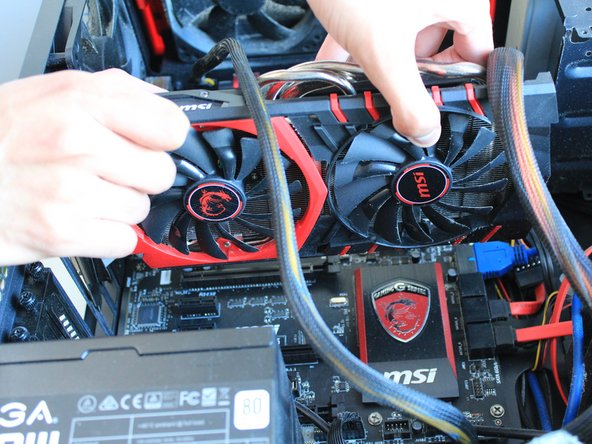
Аккуратно вытащите старый GPU.

Теперь слот PCI-E пуст для нового GPU.

Шаг 9

GPU Replacement On a Deepcool Kendomen and MSI Z97 Gaming 5 Motherboard: step 9, image 1 of 1

Выровняйте графический процессор по отношению к слоту PCI-E.

Вставьте GPU, убедитесь, что он правильно вставлен в PCI-E и в заднюю часть корпуса.

Вкладка защелкнется, когда вы вставите GPU.

Шаг 10

GPU Replacement On a Deepcool Kendomen and MSI Z97 Gaming 5 Motherboard: step 10, image 1 of 3GPU Replacement On a Deepcool Kendomen and MSI Z97 Gaming 5 Motherboard: step 10, image 2 of 3GPU Replacement On a Deepcool Kendomen and MSI Z97 Gaming 5 Motherboard: step 10, image 3 of 3

Завинтите три 14-миллиметровых винта Phillips, используя отвертку Phillips #0.

Шаг 11

GPU Replacement On a Deepcool Kendomen and MSI Z97 Gaming 5 Motherboard: step 11, image 1 of 3GPU Replacement On a Deepcool Kendomen and MSI Z97 Gaming 5 Motherboard: step 11, image 2 of 3GPU Replacement On a Deepcool Kendomen and MSI Z97 Gaming 5 Motherboard: step 11, image 3 of 3

Подключите 8-контактный мужской кабель от блока питания к графическому процессору, чтобы подать на него питание при включении.

Шаг 12

GPU Replacement On a Deepcool Kendomen and MSI Z97 Gaming 5 Motherboard: step 12, image 1 of 1

Вставьте стеклянную панель обратно.

Шаг 13

GPU Replacement On a Deepcool Kendomen and MSI Z97 Gaming 5 Motherboard: step 13, image 1 of 3GPU Replacement On a Deepcool Kendomen and MSI Z97 Gaming 5 Motherboard: step 13, image 2 of 3GPU Replacement On a Deepcool Kendomen and MSI Z97 Gaming 5 Motherboard: step 13, image 3 of 3

Используя отвертку Phillips #0, вкрутите два 15-мм винта обратно в корпус, чтобы зафиксировать панель на месте.

Шаг 14

GPU Replacement On a Deepcool Kendomen and MSI Z97 Gaming 5 Motherboard: step 14, image 1 of 3GPU Replacement On a Deepcool Kendomen and MSI Z97 Gaming 5 Motherboard: step 14, image 2 of 3GPU Replacement On a Deepcool Kendomen and MSI Z97 Gaming 5 Motherboard: step 14, image 3 of 3

Подключите женскую часть шнура питания к блоку питания.

Включите выключатель и включите компьютер.

Комментировать
82 просмотров
Комментариев нет, будьте первым кто его оставит

Это интересно
No Image Гайды
0 комментариев
No Image Гайды
0 комментариев
No Image Гайды
0 комментариев