No Image

Замена дигитайзера / переднего экрана Visual Land Prestige Elite 7Q

43 просмотров
17 декабря 2023

Введение

Чтобы заменить сломанный дигитайзер или передний экран планшета, выполните следующее руководство.

Шаг 1 Дигитайзер / передний экран

Visual Land Prestige Elite 7Q Digitizer / Front Screen Replacement, Digitizer / Front Screen: step 1, image 1 of 2Visual Land Prestige Elite 7Q Digitizer / Front Screen Replacement, Digitizer / Front Screen: step 1, image 2 of 2

В нижней части планшета открутите два винта диаметром 3,6 мм с помощью отвертки Phillips #000.

Шаг 2

Visual Land Prestige Elite 7Q Digitizer / Front Screen Replacement: step 2, image 1 of 2Visual Land Prestige Elite 7Q Digitizer / Front Screen Replacement: step 2, image 2 of 2

Вставьте пластиковый инструмент для открывания в края планшета, чтобы поддеть его.

Шаг 3

Visual Land Prestige Elite 7Q Digitizer / Front Screen Replacement: step 3, image 1 of 3Visual Land Prestige Elite 7Q Digitizer / Front Screen Replacement: step 3, image 2 of 3Visual Land Prestige Elite 7Q Digitizer / Front Screen Replacement: step 3, image 3 of 3

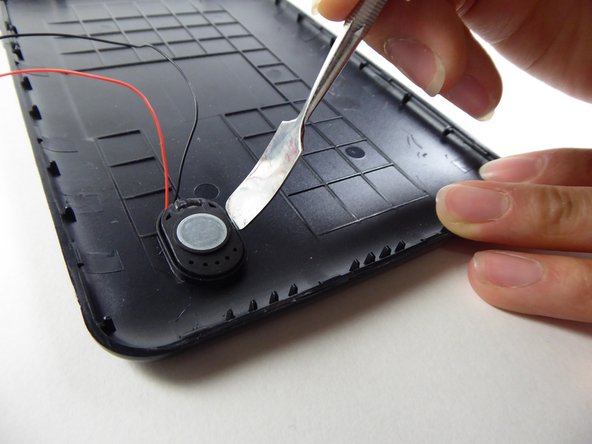
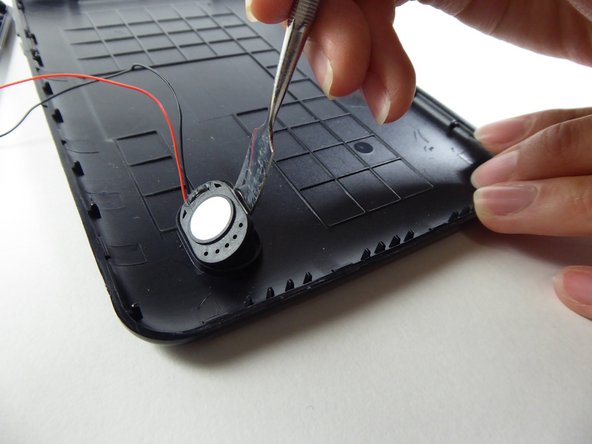
Подденьте динамик изогнутой металлической лопаткой, чтобы извлечь его.

Динамик держится на месте с помощью клея, и его может быть трудно снять.

Шаг 4

Visual Land Prestige Elite 7Q Digitizer / Front Screen Replacement: step 4, image 1 of 3Visual Land Prestige Elite 7Q Digitizer / Front Screen Replacement: step 4, image 2 of 3Visual Land Prestige Elite 7Q Digitizer / Front Screen Replacement: step 4, image 3 of 3

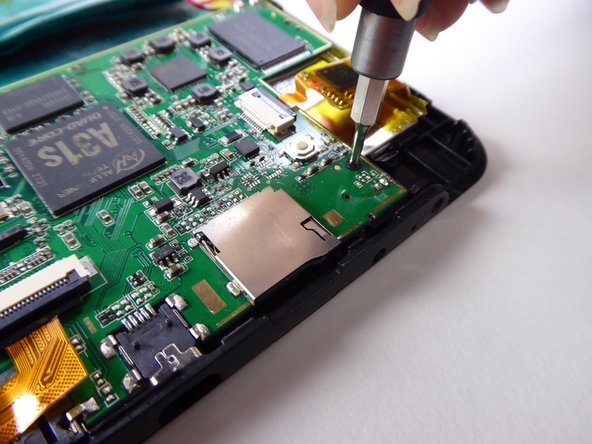
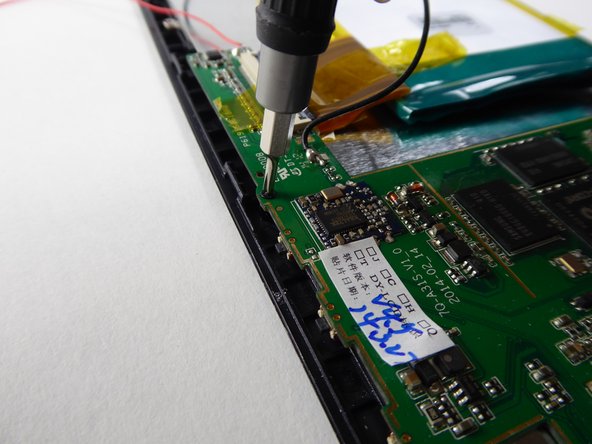
С помощью отвертки Phillips #000 открутите два винта диаметром 3,6 мм.

Шаг 5

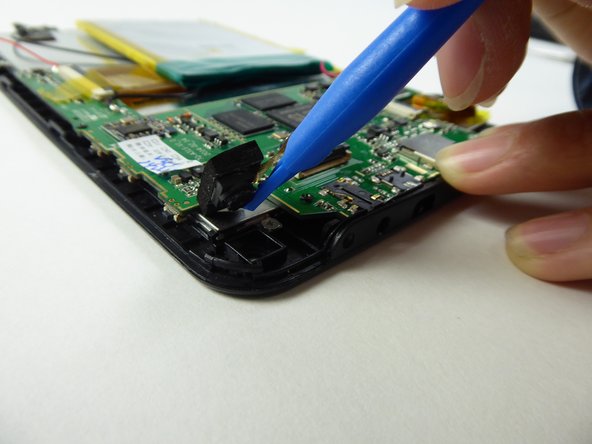
Visual Land Prestige Elite 7Q Digitizer / Front Screen Replacement: step 5, image 1 of 3Visual Land Prestige Elite 7Q Digitizer / Front Screen Replacement: step 5, image 2 of 3Visual Land Prestige Elite 7Q Digitizer / Front Screen Replacement: step 5, image 3 of 3

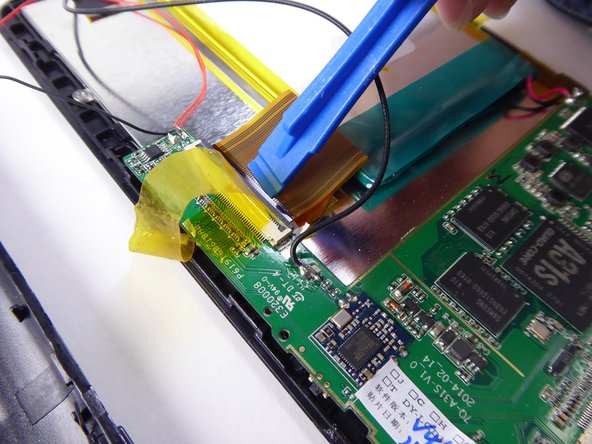
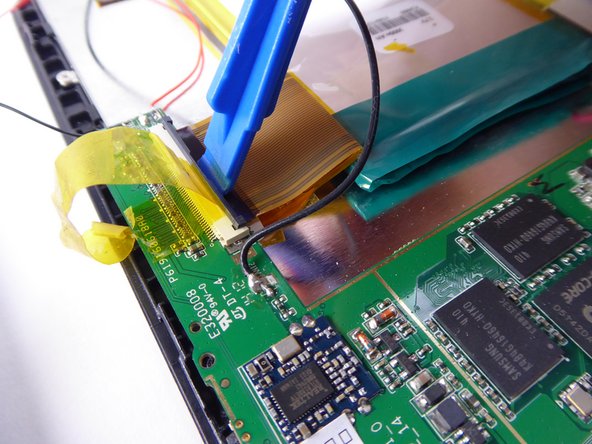
С помощью инструмента для открывания пластика подденьте черный выступ.

Шаг 6

Visual Land Prestige Elite 7Q Digitizer / Front Screen Replacement: step 6, image 1 of 2Visual Land Prestige Elite 7Q Digitizer / Front Screen Replacement: step 6, image 2 of 2

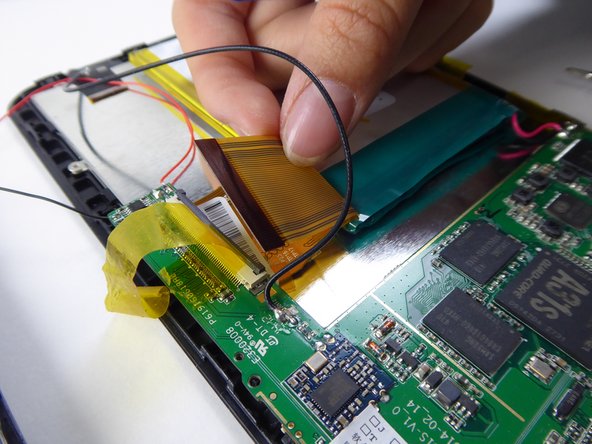
Осторожно поднимите и снимите ленточный кабель с черного язычка.

Шаг 7

Visual Land Prestige Elite 7Q Digitizer / Front Screen Replacement: step 7, image 1 of 2Visual Land Prestige Elite 7Q Digitizer / Front Screen Replacement: step 7, image 2 of 2

С помощью пластикового инструмента для открывания извлеките камеру.

Шаг 8

Visual Land Prestige Elite 7Q Digitizer / Front Screen Replacement: step 8, image 1 of 2Visual Land Prestige Elite 7Q Digitizer / Front Screen Replacement: step 8, image 2 of 2

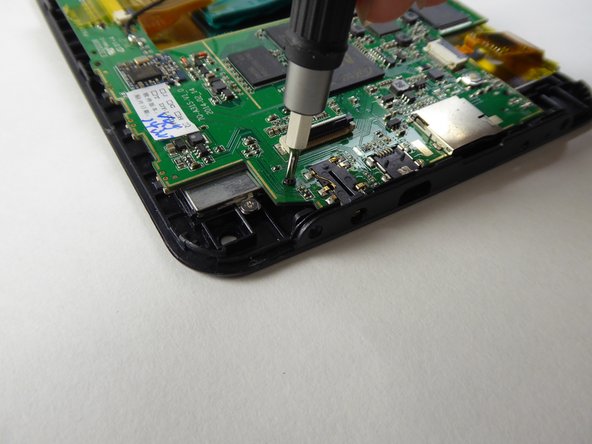
С помощью крестообразной отвертки #000 выкрутите винт 3,6 мм.

Шаг 9

Visual Land Prestige Elite 7Q Digitizer / Front Screen Replacement: step 9, image 1 of 3Visual Land Prestige Elite 7Q Digitizer / Front Screen Replacement: step 9, image 2 of 3Visual Land Prestige Elite 7Q Digitizer / Front Screen Replacement: step 9, image 3 of 3

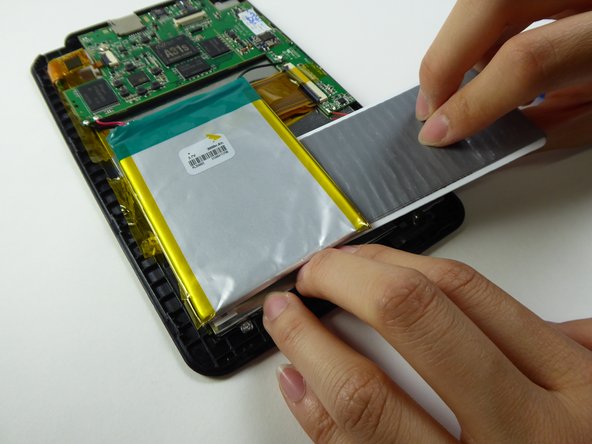
Поднимите ленту, удерживающую аккумулятор.

Шаг 10
Visual Land Prestige Elite 7Q Digitizer / Front Screen Replacement: step 10, image 1 of 2Visual Land Prestige Elite 7Q Digitizer / Front Screen Replacement: step 10, image 2 of 2

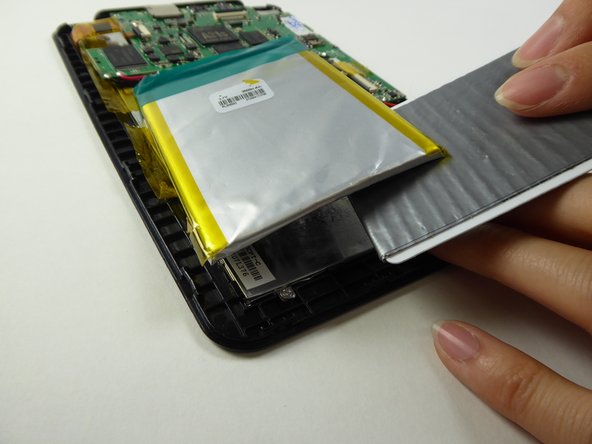
Подложите пластиковую карту под батарею, чтобы извлечь ее.

Шаг 11

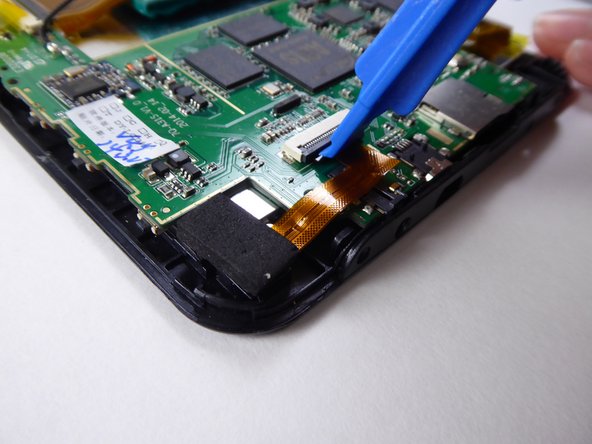
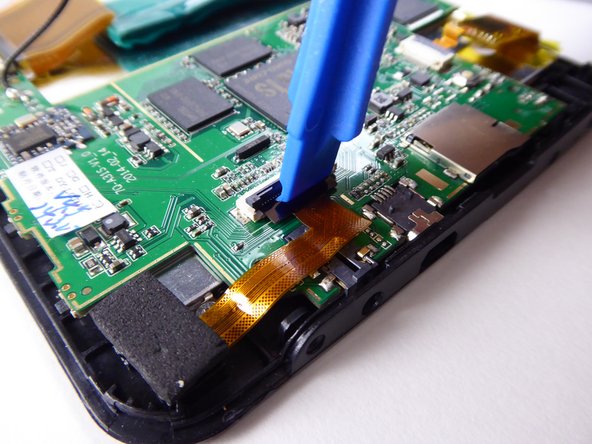
Visual Land Prestige Elite 7Q Digitizer / Front Screen Replacement: step 11, image 1 of 3Visual Land Prestige Elite 7Q Digitizer / Front Screen Replacement: step 11, image 2 of 3Visual Land Prestige Elite 7Q Digitizer / Front Screen Replacement: step 11, image 3 of 3

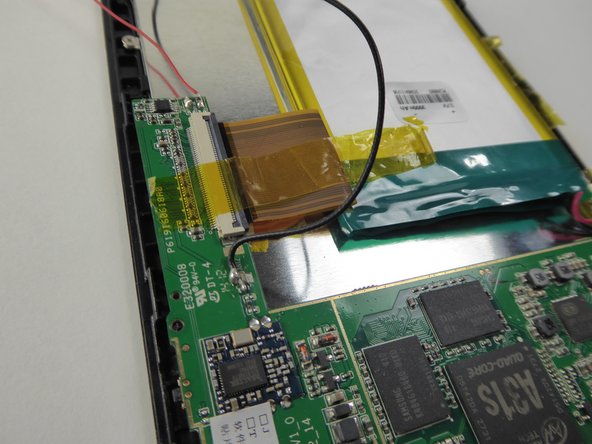
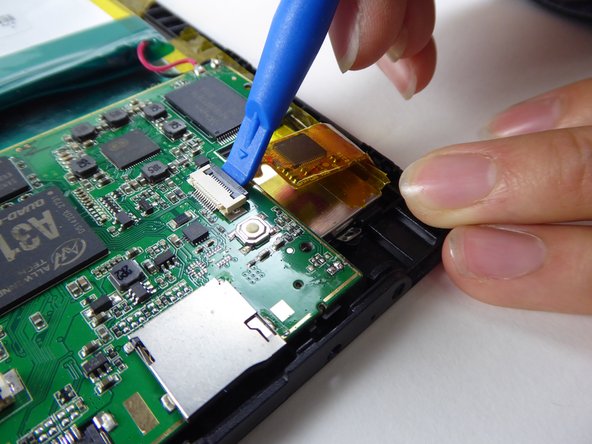
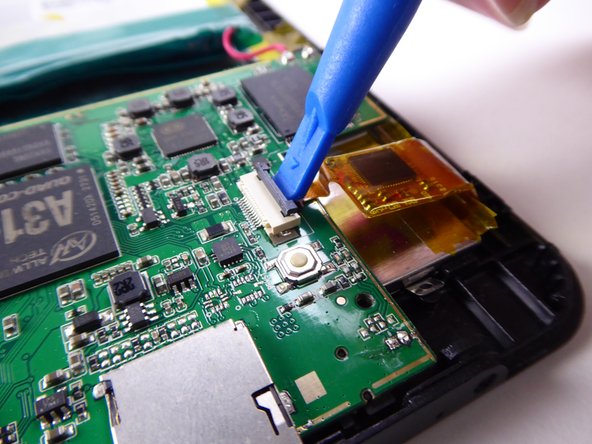
С помощью инструмента для открывания пластика подденьте черный выступ.

Шаг 12

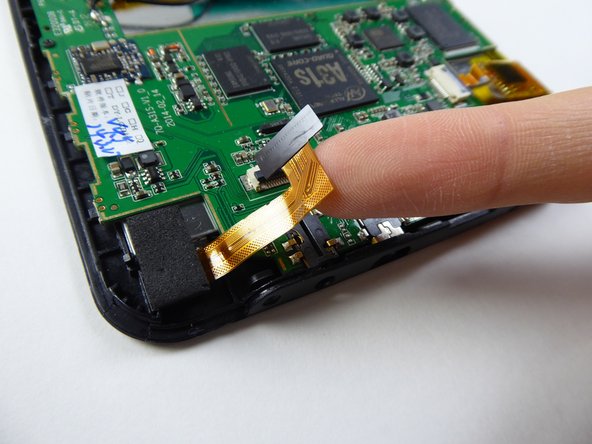
Visual Land Prestige Elite 7Q Digitizer / Front Screen Replacement: step 12, image 1 of 2Visual Land Prestige Elite 7Q Digitizer / Front Screen Replacement: step 12, image 2 of 2

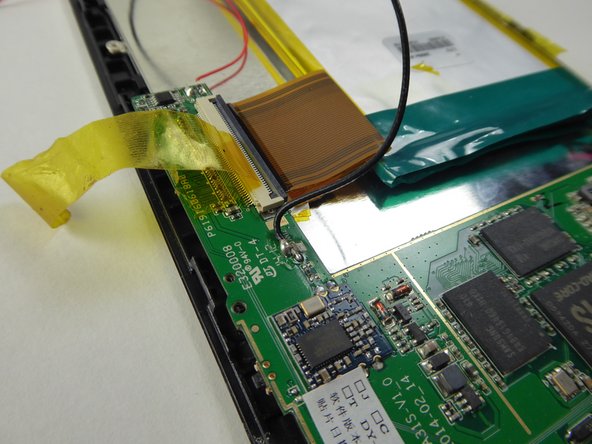
Осторожно поднимите и снимите ленточный кабель с черного язычка.

Шаг 13

Visual Land Prestige Elite 7Q Digitizer / Front Screen Replacement: step 13, image 1 of 3Visual Land Prestige Elite 7Q Digitizer / Front Screen Replacement: step 13, image 2 of 3Visual Land Prestige Elite 7Q Digitizer / Front Screen Replacement: step 13, image 3 of 3

С помощью инструмента для открывания пластика подденьте черный выступ.

Шаг 14

Visual Land Prestige Elite 7Q Digitizer / Front Screen Replacement: step 14, image 1 of 1

Безопасно извлеките батарею и материнскую плату из планшета.

Шаг 15

Visual Land Prestige Elite 7Q Digitizer / Front Screen Replacement: step 15, image 1 of 3Visual Land Prestige Elite 7Q Digitizer / Front Screen Replacement: step 15, image 2 of 3Visual Land Prestige Elite 7Q Digitizer / Front Screen Replacement: step 15, image 3 of 3

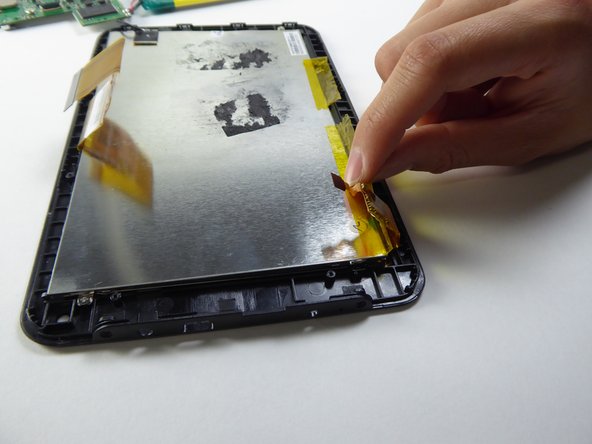
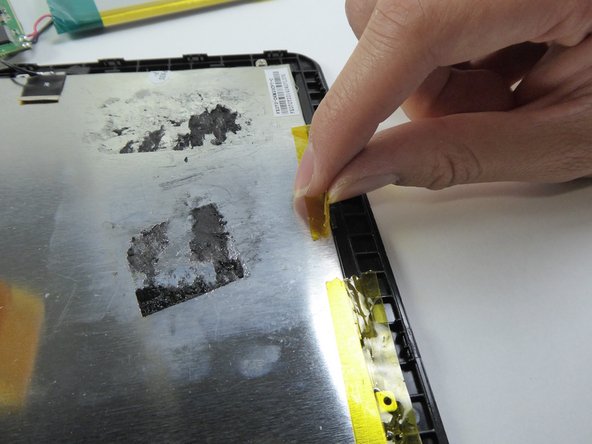
Поднимите пленку по бокам.

Шаг 16
Visual Land Prestige Elite 7Q Digitizer / Front Screen Replacement: step 16, image 1 of 3Visual Land Prestige Elite 7Q Digitizer / Front Screen Replacement: step 16, image 2 of 3Visual Land Prestige Elite 7Q Digitizer / Front Screen Replacement: step 16, image 3 of 3

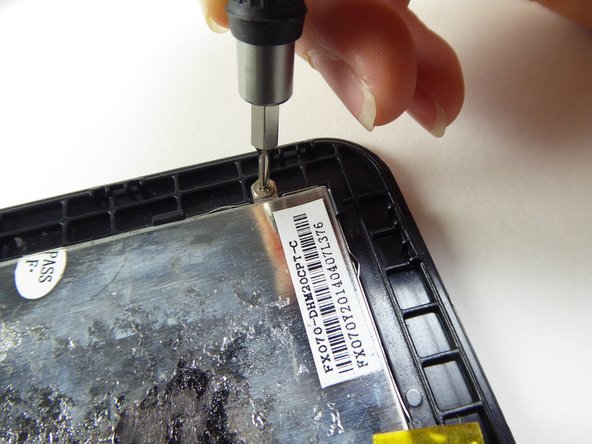
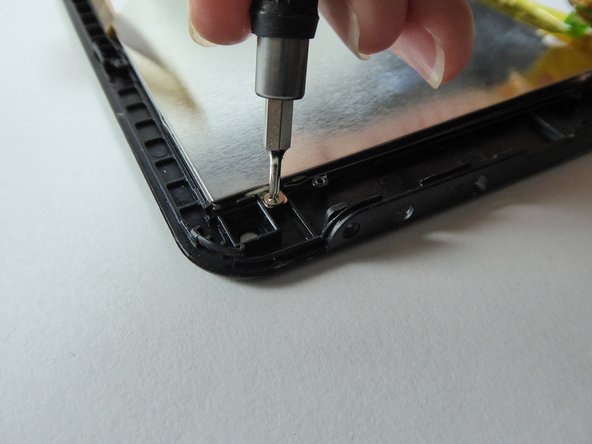
С помощью отвертки Phillips #000 открутите три винта диаметром 2,5 мм.

Шаг 17

Visual Land Prestige Elite 7Q Digitizer / Front Screen Replacement: step 17, image 1 of 3Visual Land Prestige Elite 7Q Digitizer / Front Screen Replacement: step 17, image 2 of 3Visual Land Prestige Elite 7Q Digitizer / Front Screen Replacement: step 17, image 3 of 3

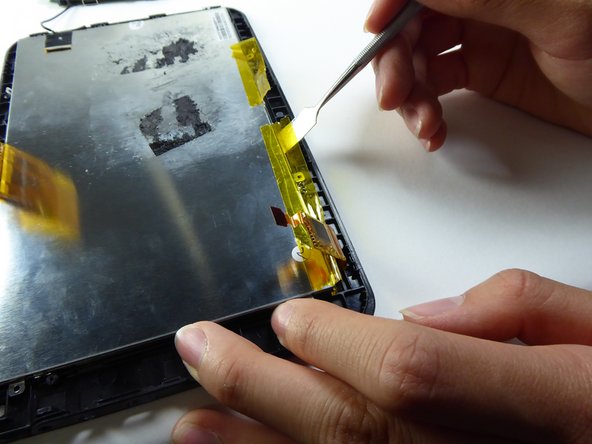
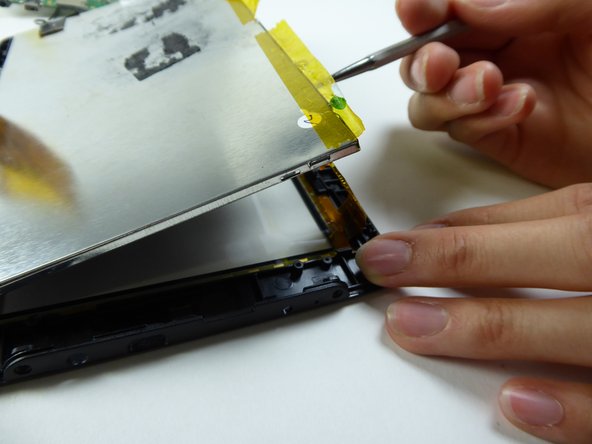
Подденьте ЖК-экран металлической лопаткой, чтобы снять его.

Шаг 18

Visual Land Prestige Elite 7Q Digitizer / Front Screen Replacement: step 18, image 1 of 1

Замените передний экран, чтобы установить дигитайзер.

Комментировать
43 просмотров
Комментариев нет, будьте первым кто его оставит

Это интересно
No Image Гайды
0 комментариев
No Image Гайды
0 комментариев
No Image Гайды
0 комментариев