No Image

Замена жесткого диска ноутбука HP 15-bs015dx

62 просмотров
09 декабря 2023

Введение

Я расскажу вам, как отремонтировать жесткий диск ноутбука HP 15-bs015dx. Вы можете ознакомиться с более полным руководством по разборке в моем профиле

Шаг 1 Извлечение аккумулятора — часть 1

Replacing the hard drive of the HP 15-bs015dx laptop, Remove the Battery - Part 1: step 1, image 1 of 3Replacing the hard drive of the HP 15-bs015dx laptop, Remove the Battery - Part 1: step 1, image 2 of 3Replacing the hard drive of the HP 15-bs015dx laptop, Remove the Battery - Part 1: step 1, image 3 of 3

Положите ноутбук лицевой стороной вниз

Переместите левый замок батарейного отсека вправо

Шаг 2 Извлечение батареи — часть 2

Replacing the hard drive of the HP 15-bs015dx laptop, Remove the Battery - Part 2: step 2, image 1 of 3Replacing the hard drive of the HP 15-bs015dx laptop, Remove the Battery - Part 2: step 2, image 2 of 3Replacing the hard drive of the HP 15-bs015dx laptop, Remove the Battery - Part 2: step 2, image 3 of 3

Сдвиньте правый замок батарейного отсека влево

Этот замок сложнее предыдущего, с его помощью батарея должна выскочить.

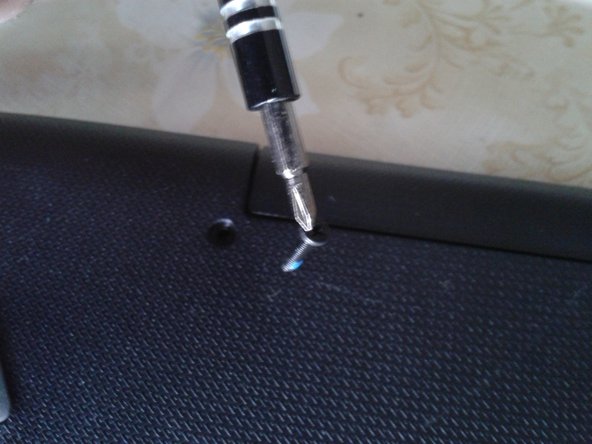
Шаг 3 Открутите 6 винтов

Replacing the hard drive of the HP 15-bs015dx laptop, Remove the 6 visibles screws: step 3, image 1 of 3Replacing the hard drive of the HP 15-bs015dx laptop, Remove the 6 visibles screws: step 3, image 2 of 3Replacing the hard drive of the HP 15-bs015dx laptop, Remove the 6 visibles screws: step 3, image 3 of 3

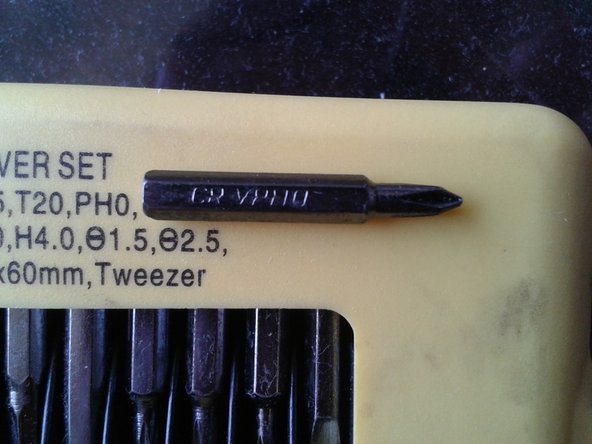
Используйте отвертку Philips 0

Шаг 4 Открутите 4 скрытых винта

Replacing the hard drive of the HP 15-bs015dx laptop, Remove the 4 hidden screws: step 4, image 1 of 3Replacing the hard drive of the HP 15-bs015dx laptop, Remove the 4 hidden screws: step 4, image 2 of 3Replacing the hard drive of the HP 15-bs015dx laptop, Remove the 4 hidden screws: step 4, image 3 of 3

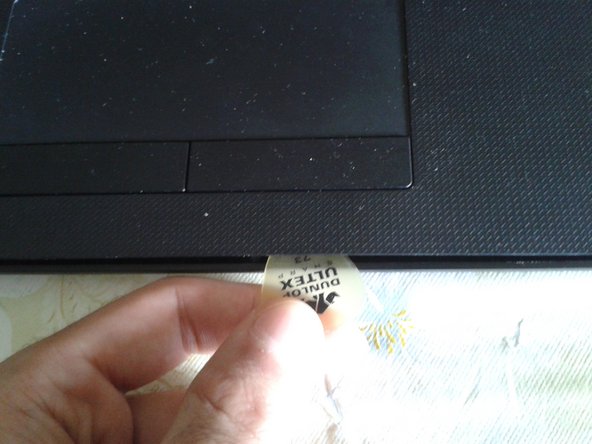
С помощью соломинки снимите достаточно резиновых ножек с 4 углов.

Используйте крестовую отвертку 0

Установите каждую резиновую ножку на место после удаления винтов

В общей сложности у вас будет 10 винтов

Шаг 5 Извлеките блок DVD

Replacing the hard drive of the HP 15-bs015dx laptop, Remove the DVD unit: step 5, image 1 of 2Replacing the hard drive of the HP 15-bs015dx laptop, Remove the DVD unit: step 5, image 2 of 2

Он легко вынимается с помощью соломинки или без нее

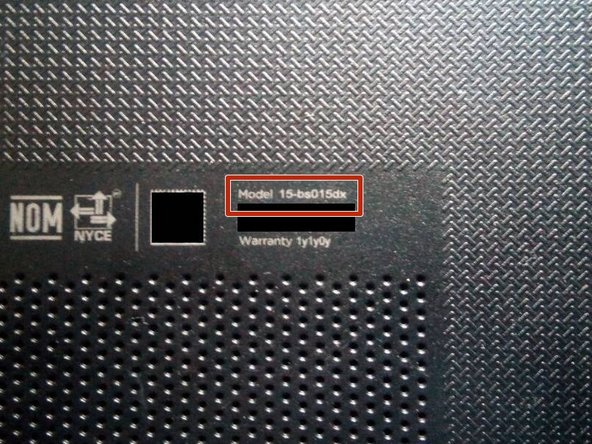
Вы можете проверить номер модели

Шаг 6 Отделите части корпуса часть 1

Replacing the hard drive of the HP 15-bs015dx laptop, Separate the pieces of the chassis part 1: step 6, image 1 of 3Replacing the hard drive of the HP 15-bs015dx laptop, Separate the pieces of the chassis part 1: step 6, image 2 of 3Replacing the hard drive of the HP 15-bs015dx laptop, Separate the pieces of the chassis part 1: step 6, image 3 of 3

Переверните ноутбук и откройте его

Используйте пластиковый инструмент или соломинку, чтобы отделить части корпуса

Шаг 7 Разделение частей корпуса часть 2

Replacing the hard drive of the HP 15-bs015dx laptop, Separate the pieces of the chassis part 2: step 7, image 1 of 3Replacing the hard drive of the HP 15-bs015dx laptop, Separate the pieces of the chassis part 2: step 7, image 2 of 3Replacing the hard drive of the HP 15-bs015dx laptop, Separate the pieces of the chassis part 2: step 7, image 3 of 3

Переверните ноутбук и отделите нижнюю крышку корпуса

Жесткий диск 2,5″ SATA

2 слота для оперативной памяти типа DDR4 SO-DIMM

Процессор Intel 7-го поколения

Активный радиатор (вентилятор)

Беспроводная карта

Батарейка для часов, 3 В. CR2030

Шаг 8 Выкрутите три винта из рамы

Replacing the hard drive of the HP 15-bs015dx laptop, Remove the three screws from the frame: step 8, image 1 of 3Replacing the hard drive of the HP 15-bs015dx laptop, Remove the three screws from the frame: step 8, image 2 of 3Replacing the hard drive of the HP 15-bs015dx laptop, Remove the three screws from the frame: step 8, image 3 of 3

3 винта

Используйте крестовую отвертку 0

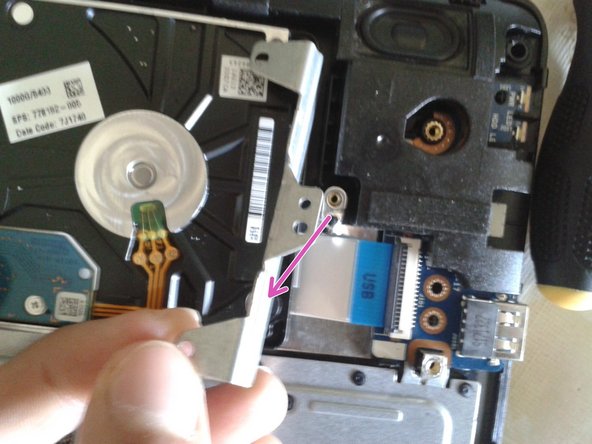
Снимите рамку

Шаг 9 Извлеките жесткий диск

Replacing the hard drive of the HP 15-bs015dx laptop, Remove the hard drive: step 9, image 1 of 3Replacing the hard drive of the HP 15-bs015dx laptop, Remove the hard drive: step 9, image 2 of 3Replacing the hard drive of the HP 15-bs015dx laptop, Remove the hard drive: step 9, image 3 of 3

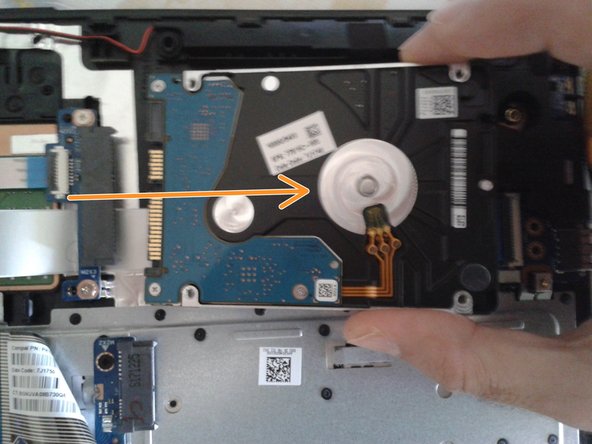
Наклоните жесткий диск вверх

Отсоедините жесткий диск от порта SATA.

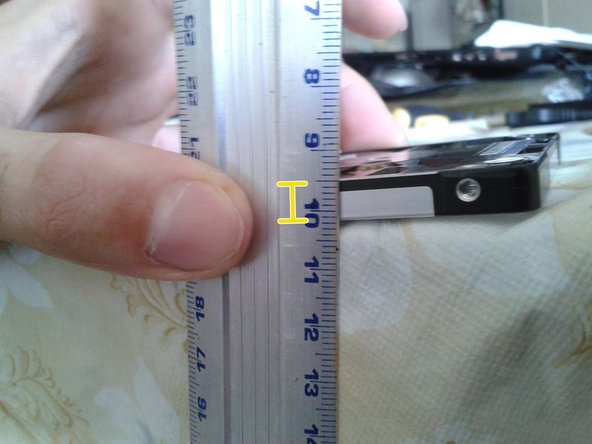
Высота жесткого диска составляет 7 мм. Емкость 1 ТБ.

Комментировать
62 просмотров
Комментариев нет, будьте первым кто его оставит

Это интересно
No Image Гайды
0 комментариев
No Image Гайды
0 комментариев
No Image Гайды
0 комментариев