No Image

Замена материнской платы Mitsubishi Diamondpoint NXM76LCD

102 просмотров
07 декабря 2023

Шаг 1 Снятие подставки.

Mitsubishi Diamondpoint NXM76LCD Motherboard Replacement, Removing the stand.: step 1, image 1 of 3Mitsubishi Diamondpoint NXM76LCD Motherboard Replacement, Removing the stand.: step 1, image 2 of 3Mitsubishi Diamondpoint NXM76LCD Motherboard Replacement, Removing the stand.: step 1, image 3 of 3

Поднимите черную крышку.

Выкрутите все 4 винта Phillips #2.

Шаг 2 Открутите 5 винтов

Mitsubishi Diamondpoint NXM76LCD Motherboard Replacement, Remove the 5 screws: step 2, image 1 of 1

Выкрутите два 24-миллиметровых винта Phillips #2.

Выкрутите три 8-миллиметровых винта Phillips #2.

Шаг 3 Снимите заднюю панель

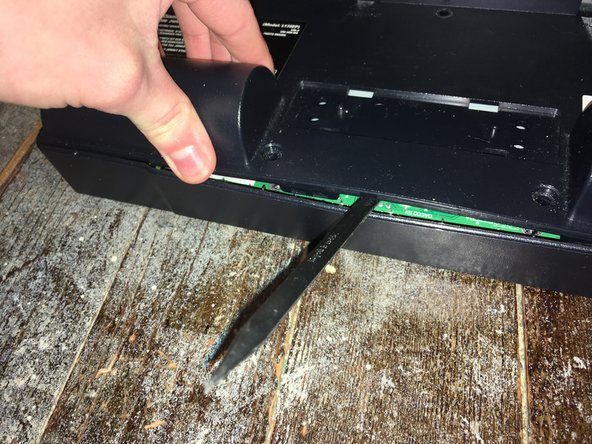
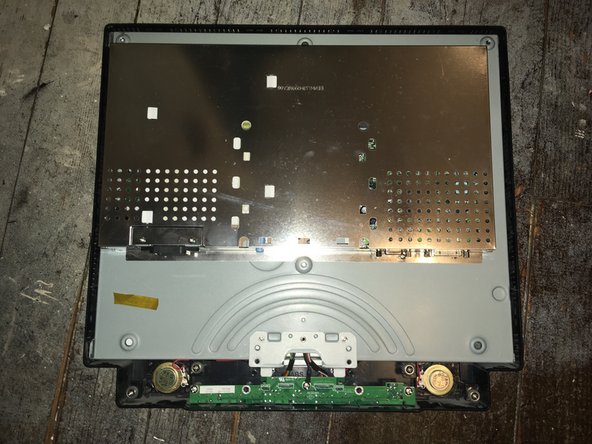
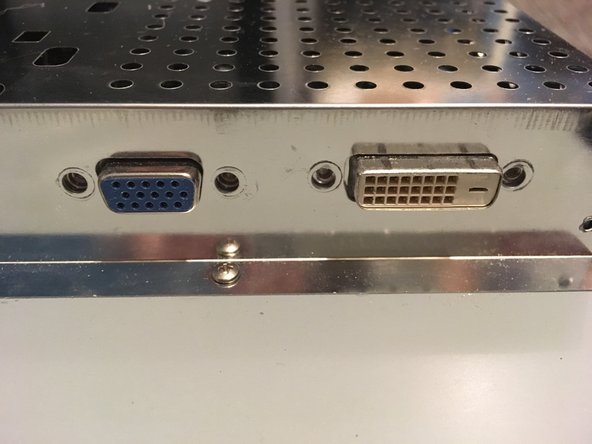
Mitsubishi Diamondpoint NXM76LCD Motherboard Replacement, Remove the back panel: step 3, image 1 of 3Mitsubishi Diamondpoint NXM76LCD Motherboard Replacement, Remove the back panel: step 3, image 2 of 3Mitsubishi Diamondpoint NXM76LCD Motherboard Replacement, Remove the back panel: step 3, image 3 of 3

Приподнимите заднюю панель и подденьте ее.

Панель удерживается зажимами по бокам. Чтобы снять ее, нужно приложить немало усилий.

Шаг 4 Открутите четыре винта

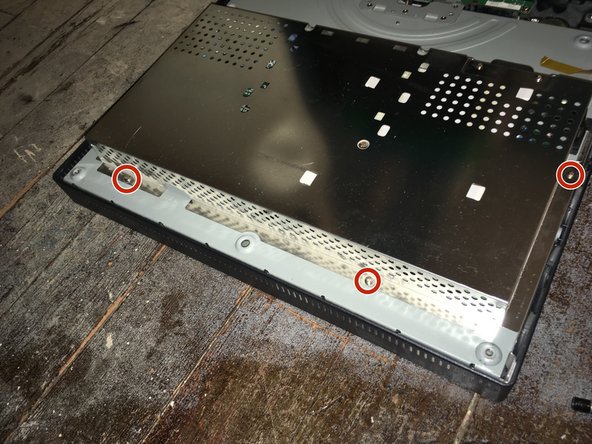
Mitsubishi Diamondpoint NXM76LCD Motherboard Replacement, Remove the four screws: step 4, image 1 of 2Mitsubishi Diamondpoint NXM76LCD Motherboard Replacement, Remove the four screws: step 4, image 2 of 2

Выкрутите четыре винта с гайками 5 мм.

Шаг 5 Открутите 5 винтов

Mitsubishi Diamondpoint NXM76LCD Motherboard Replacement, Remove the 5 screws: step 5, image 1 of 2Mitsubishi Diamondpoint NXM76LCD Motherboard Replacement, Remove the 5 screws: step 5, image 2 of 2

Выкрутите семь винтов Phillips #1.

Шаг 6 Отсоедините кабели

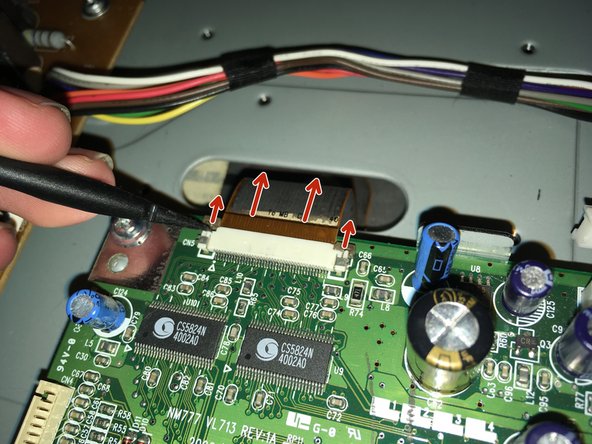
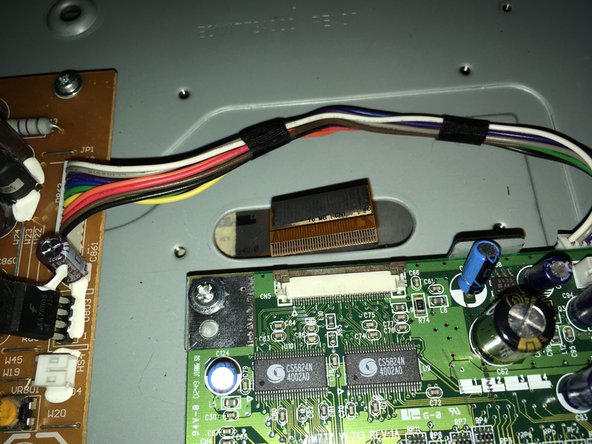
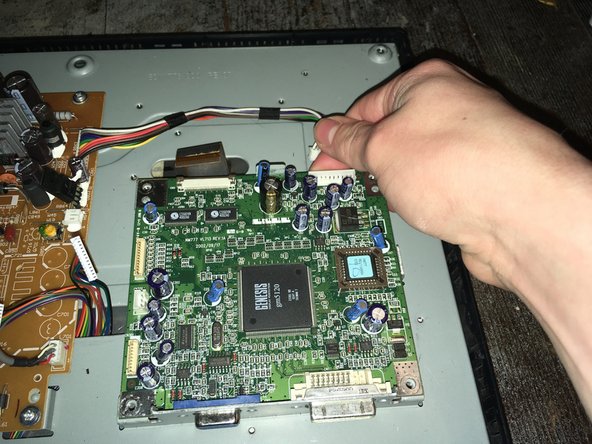
Mitsubishi Diamondpoint NXM76LCD Motherboard Replacement, Remove the cables: step 6, image 1 of 3Mitsubishi Diamondpoint NXM76LCD Motherboard Replacement, Remove the cables: step 6, image 2 of 3Mitsubishi Diamondpoint NXM76LCD Motherboard Replacement, Remove the cables: step 6, image 3 of 3

Отсоедините все кабели.

Шаг 7 Извлеките материнскую плату

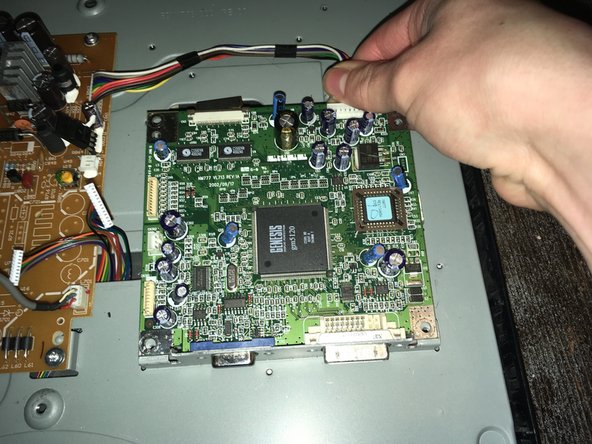
Mitsubishi Diamondpoint NXM76LCD Motherboard Replacement, Remove the motherboard: step 7, image 1 of 3Mitsubishi Diamondpoint NXM76LCD Motherboard Replacement, Remove the motherboard: step 7, image 2 of 3Mitsubishi Diamondpoint NXM76LCD Motherboard Replacement, Remove the motherboard: step 7, image 3 of 3

Выкрутите четыре винта.

Потяните материнскую плату вверх и снимите ее.

Шаг 8

Mitsubishi Diamondpoint NXM76LCD Motherboard Replacement: step 8, image 1 of 1

Теперь вы можете заменить ее на новую.

Комментировать
102 просмотров
Комментариев нет, будьте первым кто его оставит

Это интересно
No Image Гайды
0 комментариев
No Image Гайды
0 комментариев
No Image Гайды
0 комментариев