No Image

Замена кнопок Kodak EasyShare C913

86 просмотров
17 декабря 2023

Введение

Как снять кнопки.

Шаг 1 Батареи

Kodak EasyShare C913 Buttons Replacement, Batteries: step 1, image 1 of 3Kodak EasyShare C913 Buttons Replacement, Batteries: step 1, image 2 of 3Kodak EasyShare C913 Buttons Replacement, Batteries: step 1, image 3 of 3

Расположите фотокамеру нижней стороной вверх.

Осторожно сдвиньте крышку батарейного отсека в направлении, указанном стрелкой.

Извлеките батареи

Шаг 2 Задний корпус

Kodak EasyShare C913 Buttons Replacement, Back Case: step 2, image 1 of 3Kodak EasyShare C913 Buttons Replacement, Back Case: step 2, image 2 of 3Kodak EasyShare C913 Buttons Replacement, Back Case: step 2, image 3 of 3

Отверткой Phillips #00 выкрутите семь винтов диаметром 4,5 мм.

2 слева

2 справа

3 снизу

Шаг 3

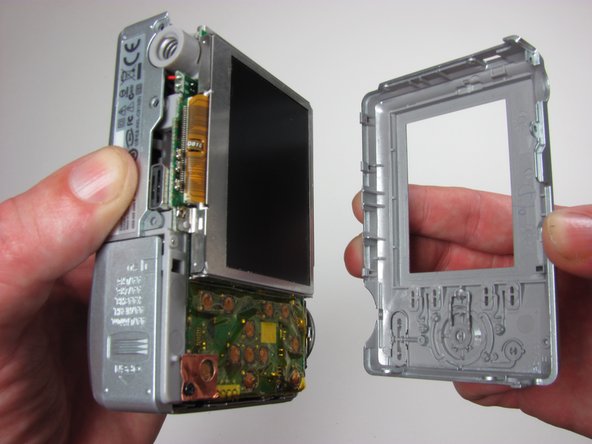
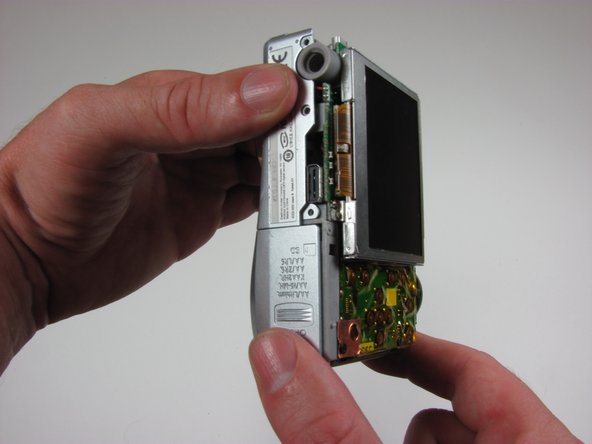
Kodak EasyShare C913 Buttons Replacement: step 3, image 1 of 3Kodak EasyShare C913 Buttons Replacement: step 3, image 2 of 3Kodak EasyShare C913 Buttons Replacement: step 3, image 3 of 3

Крепко возьмитесь за заднюю часть камеры и потяните за корпус.

Шаг 4 Кнопки

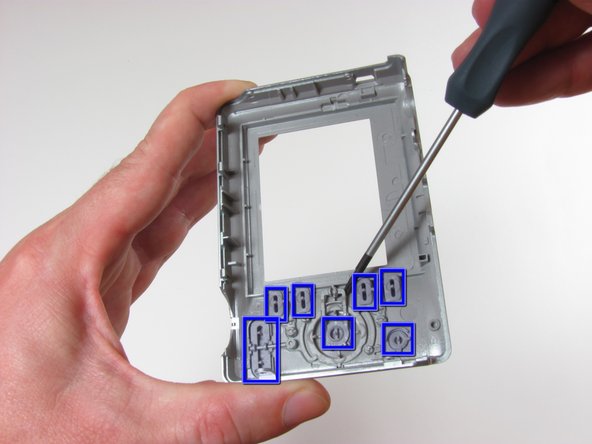
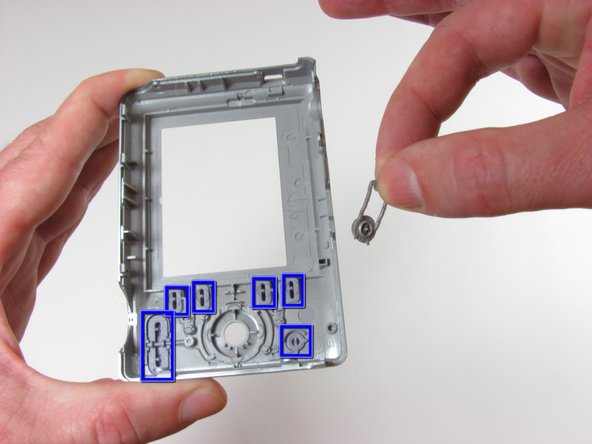
Kodak EasyShare C913 Buttons Replacement, Buttons: step 4, image 1 of 3Kodak EasyShare C913 Buttons Replacement, Buttons: step 4, image 2 of 3Kodak EasyShare C913 Buttons Replacement, Buttons: step 4, image 3 of 3

С помощью отвертки #00 подденьте кнопки.

Комментировать
86 просмотров
Комментариев нет, будьте первым кто его оставит

Это интересно
No Image Гайды
0 комментариев
No Image Гайды
0 комментариев
No Image Гайды
0 комментариев