No Image

Замена динамика Mitsubishi Diamondpoint NXM76LCD

81 просмотров
07 декабря 2023

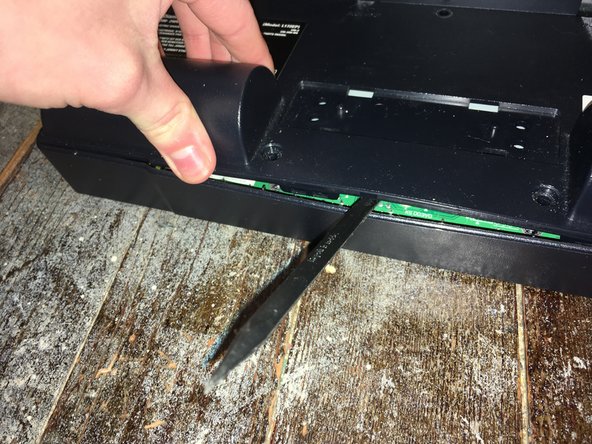
Шаг 1 Снятие подставки.

Mitsubishi Diamondpoint NXM76LCD Speaker Replacement, Removing the stand.: step 1, image 1 of 3Mitsubishi Diamondpoint NXM76LCD Speaker Replacement, Removing the stand.: step 1, image 2 of 3Mitsubishi Diamondpoint NXM76LCD Speaker Replacement, Removing the stand.: step 1, image 3 of 3

Поднимите черную крышку.

Выкрутите все 4 винта Phillips #2.

Шаг 2 Выкрутите 5 винтов

Mitsubishi Diamondpoint NXM76LCD Speaker Replacement, Remove the 5 screws: step 2, image 1 of 1

Выкрутите два 24-миллиметровых винта Phillips #2.

Выкрутите три 8-миллиметровых винта Phillips #2.

Шаг 3 Снимите заднюю панель

Mitsubishi Diamondpoint NXM76LCD Speaker Replacement, Remove the back panel: step 3, image 1 of 3Mitsubishi Diamondpoint NXM76LCD Speaker Replacement, Remove the back panel: step 3, image 2 of 3Mitsubishi Diamondpoint NXM76LCD Speaker Replacement, Remove the back panel: step 3, image 3 of 3

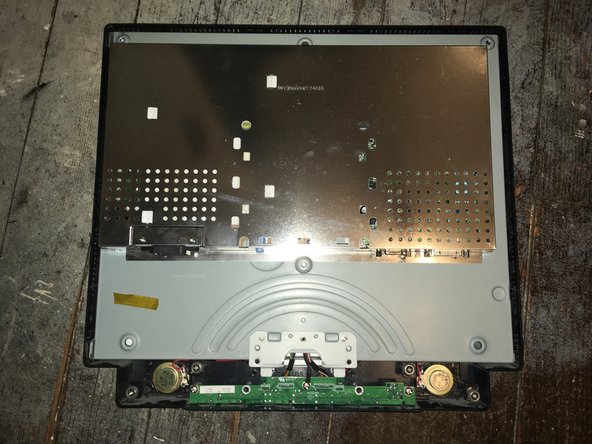
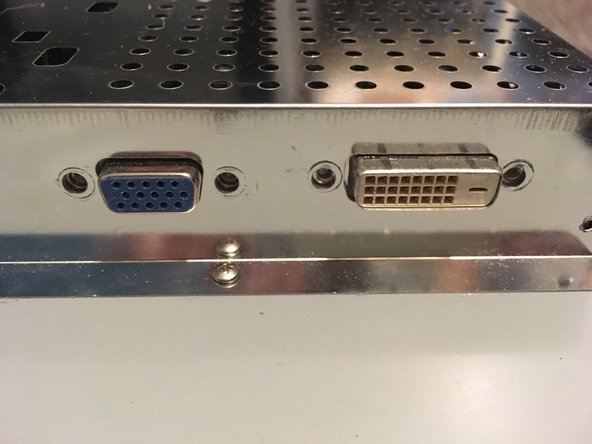
Приподнимите заднюю панель и подденьте ее.

Панель удерживается зажимами по бокам. Чтобы снять ее, нужно приложить немало усилий.

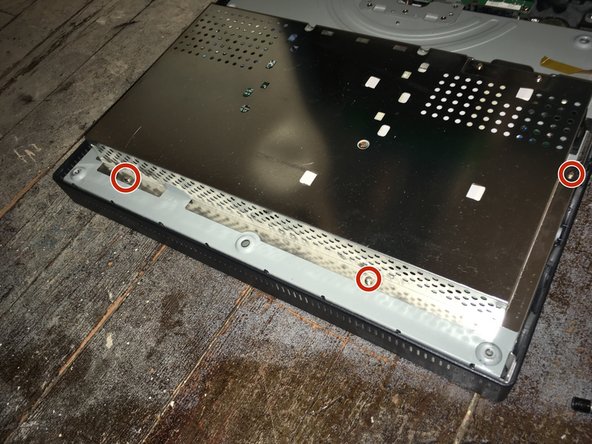
Шаг 4 Открутите четыре винта

Mitsubishi Diamondpoint NXM76LCD Speaker Replacement, Remove the four screws: step 4, image 1 of 2Mitsubishi Diamondpoint NXM76LCD Speaker Replacement, Remove the four screws: step 4, image 2 of 2

Выкрутите четыре винта с 5-миллиметровыми гайками.

Шаг 5

Mitsubishi Diamondpoint NXM76LCD Speaker Replacement: step 5, image 1 of 2Mitsubishi Diamondpoint NXM76LCD Speaker Replacement: step 5, image 2 of 2

Выкрутите семь винтов Phillips #1.

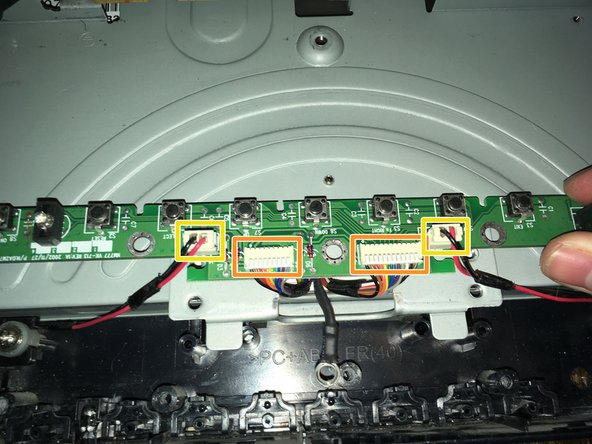
Шаг 6 Снимите переднюю плату

Mitsubishi Diamondpoint NXM76LCD Speaker Replacement, Remove the front board: step 6, image 1 of 2Mitsubishi Diamondpoint NXM76LCD Speaker Replacement, Remove the front board: step 6, image 2 of 2

Выкрутите три винта Phillips #2.

Отсоедините два кабеля данных/питания.

Отсоедините два кабеля динамиков.

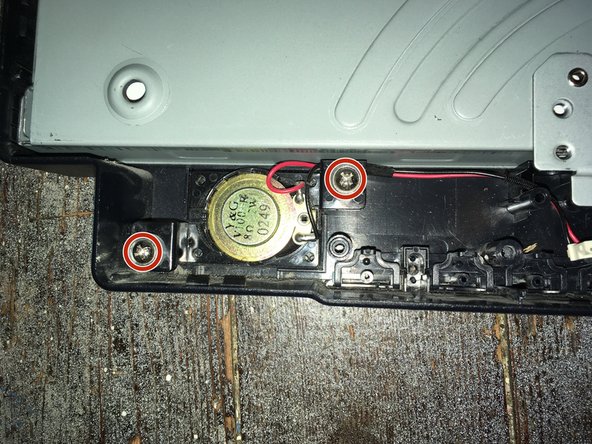
Шаг 7

Mitsubishi Diamondpoint NXM76LCD Speaker Replacement: step 7, image 1 of 2Mitsubishi Diamondpoint NXM76LCD Speaker Replacement: step 7, image 2 of 2

Выкрутите винты Phillips #2 из динамика(ов).

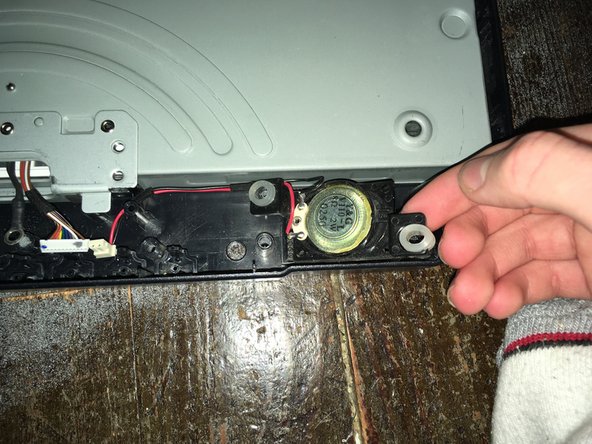
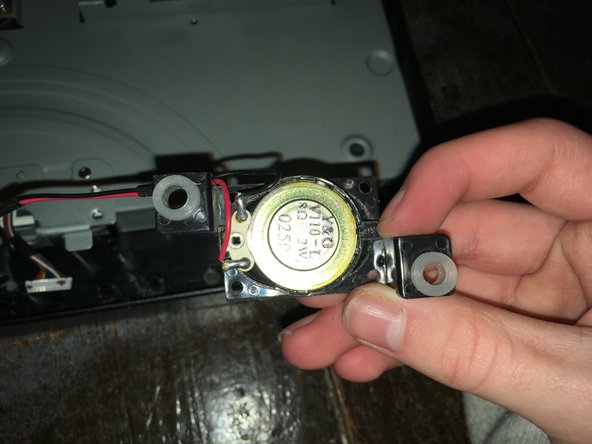
Шаг 8

Mitsubishi Diamondpoint NXM76LCD Speaker Replacement: step 8, image 1 of 3Mitsubishi Diamondpoint NXM76LCD Speaker Replacement: step 8, image 2 of 3Mitsubishi Diamondpoint NXM76LCD Speaker Replacement: step 8, image 3 of 3

Вытащите динамик из слотов.

Комментировать
81 просмотров
Комментариев нет, будьте первым кто его оставит

Это интересно
No Image Гайды
0 комментариев
No Image Гайды
0 комментариев
No Image Гайды
0 комментариев