No Image

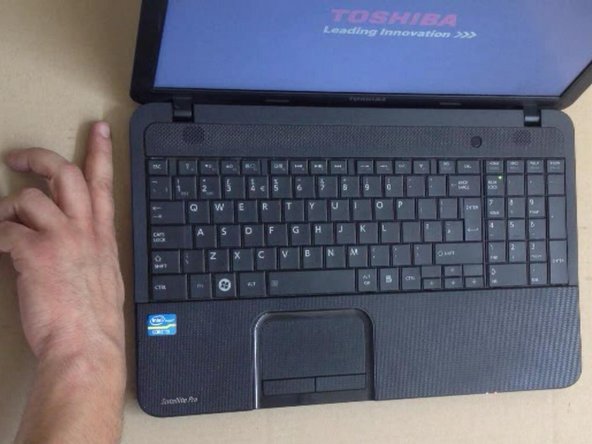
Ремонт Toshiba Satellite C850 — чистка системы охлаждения / вентилятора

51 просмотров
17 декабря 2023

Введение

Как разобрать ноутбук, чтобы почистить систему охлаждения / вентилятор.

Пожалуйста, ПОДПИСЫВАЙТЕСЬ на мой канал ツ

Шаг 1. Ремонт Toshiba Satellite C850 — чистка системы охлаждения / вентилятора

Repairing Toshiba Satellite C850 - Cleaning the Cooling / Fan System, Repairing Toshiba Satellite C850 - Cleaning the Cooling / Fan System: step 1, image 1 of 2Repairing Toshiba Satellite C850 - Cleaning the Cooling / Fan System, Repairing Toshiba Satellite C850 - Cleaning the Cooling / Fan System: step 1, image 2 of 2

Выключите ноутбук и извлеките батарею.

Шаг 2

Repairing Toshiba Satellite C850 - Cleaning the Cooling / Fan System: step 2, image 1 of 3Repairing Toshiba Satellite C850 - Cleaning the Cooling / Fan System: step 2, image 2 of 3Repairing Toshiba Satellite C850 - Cleaning the Cooling / Fan System: step 2, image 3 of 3

Чтобы снять клавиатуру, необходимо открыть 7 фиксаторов.

Вы можете использовать кусачки и пластиковый инструмент.

Шаг 3

Repairing Toshiba Satellite C850 - Cleaning the Cooling / Fan System: step 3, image 1 of 3Repairing Toshiba Satellite C850 - Cleaning the Cooling / Fan System: step 3, image 2 of 3Repairing Toshiba Satellite C850 - Cleaning the Cooling / Fan System: step 3, image 3 of 3

Снимите клавиатуру.

Снимите крышку отсека HDD, RAM Memory.

Шаг 4

Repairing Toshiba Satellite C850 - Cleaning the Cooling / Fan System: step 4, image 1 of 3Repairing Toshiba Satellite C850 - Cleaning the Cooling / Fan System: step 4, image 2 of 3Repairing Toshiba Satellite C850 - Cleaning the Cooling / Fan System: step 4, image 3 of 3

Извлеките жесткий диск и оптический привод DVD.

Шаг 5

Repairing Toshiba Satellite C850 - Cleaning the Cooling / Fan System: step 5, image 1 of 2Repairing Toshiba Satellite C850 - Cleaning the Cooling / Fan System: step 5, image 2 of 2

Выкрутите винты из верхнего и нижнего корпусов.

Шаг 6

Repairing Toshiba Satellite C850 - Cleaning the Cooling / Fan System: step 6, image 1 of 3Repairing Toshiba Satellite C850 - Cleaning the Cooling / Fan System: step 6, image 2 of 3Repairing Toshiba Satellite C850 - Cleaning the Cooling / Fan System: step 6, image 3 of 3

С помощью пластикового инструмента вы можете отделить нижний корпус от ноутбука.

Шаг 7

Repairing Toshiba Satellite C850 - Cleaning the Cooling / Fan System: step 7, image 1 of 3Repairing Toshiba Satellite C850 - Cleaning the Cooling / Fan System: step 7, image 2 of 3Repairing Toshiba Satellite C850 - Cleaning the Cooling / Fan System: step 7, image 3 of 3

Отсоедините разъем кабеля вентилятора процессора.

Теперь у вас есть 4 винта со стороны процессора и 2 винта со стороны вентилятора.

Шаг 8

Repairing Toshiba Satellite C850 - Cleaning the Cooling / Fan System: step 8, image 1 of 3Repairing Toshiba Satellite C850 - Cleaning the Cooling / Fan System: step 8, image 2 of 3Repairing Toshiba Satellite C850 - Cleaning the Cooling / Fan System: step 8, image 3 of 3

Отделите вентилятор от радиатора.

Очистите радиатор и вентилятор. Используйте мягкую щетку.

Шаг 9

Repairing Toshiba Satellite C850 - Cleaning the Cooling / Fan System: step 9, image 1 of 3Repairing Toshiba Satellite C850 - Cleaning the Cooling / Fan System: step 9, image 2 of 3Repairing Toshiba Satellite C850 - Cleaning the Cooling / Fan System: step 9, image 3 of 3

Установите термопасту на основной процессор, и вы готовы к сборке.

После запуска проверьте, работает ли вентилятор.

.

Пожалуйста, ПОДПИСЫВАЙТЕСЬ на мой канал ツ

Комментировать
51 просмотров
Комментариев нет, будьте первым кто его оставит

Это интересно
No Image Гайды
0 комментариев
No Image Гайды
0 комментариев
No Image Гайды
0 комментариев